Your Cart is Empty



The industry-standard for tight, natural vocal alignment
View other products by Synchro Arts

Get every vocal aligned in one pass
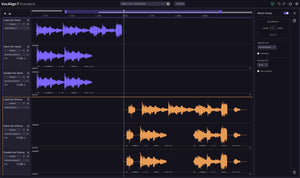
For 30 years, VocAlign has set the standard for fast, natural vocal alignment. VocAlign 7 Standard brings every dub, double, and harmony into one multi-track view, so producers can assign any guide and align the whole stack in a single operation. Fewer clicks, less repetition, and tight results that still sound natural.
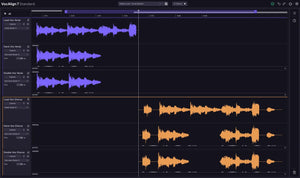
Your whole vocal stack, one view
From one workspace, assign any track as the guide, set the rest to follow, and align the entire vocal stack at once without switching between multiple plugin instances. With VocAlign’s instantaneous processing, users save an average of 13 hours per month, leaving more time to create and less time spent editing track by track.
Go broad or get precise
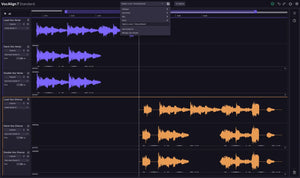
Apply timing corrections globally across every vocal at once, or refine individual tracks and clips independently. Make session-wide adjustments or targeted fixes without starting over.
See the issue. Fix it faster.
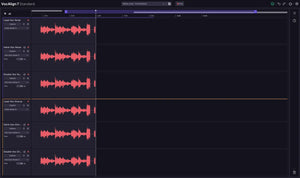
Visual energy analysis maps energy levels across every track, showing exactly where alignment breaks down so you can make fast, focused adjustments without hunting by ear.
NEW! Multi-track view
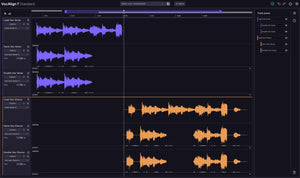
Capture every vocal in one multi-track view, choose any track as the guide, and align the entire stack in a single operation.
NEW! Track-based timing
Apply corrections globally, by track, or at clip level.
NEW! Visual energy analysis
See precisely where alignment needs attention across every track.
SmartAlign
Intelligently understands where alignment should start and end across multiple clips.
Tightness control
Dial alignment from polished and precise to loose and natural.
Alignment presets
Find the right alignment settings quickly and save custom presets.
A completely reimagined multi-track view
Bring every vocal into one multi-track workspace, assign any track as the guide, and align the entire stack in one operation.
Session-wide to clip-level control
Make broad timing adjustments, then target individual tracks or clips without starting over.
Visual energy analysis
See exactly where alignment breaks down on every track, fix the issue, and move on.
A faster non-ARA workflow
A streamlined workflow removes the old sidechain capture process for Ableton Live and FL Studio users, eliminating the need to play through the entire session before alignment can begin.
System Requirements
Apple macOS
Microsoft Windows