Your Cart is Empty


View other products by Steinberg

Make it sound like you.
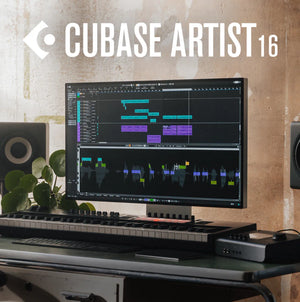
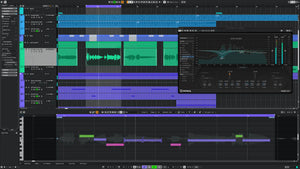
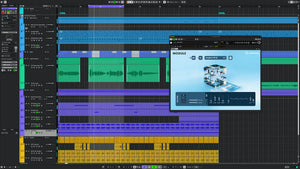
Steinberg Cubase Artist 16 gives musicians, songwriters, and producers the creative freedom to turn ideas into complete productions. Make beats, develop melodies, record vocals and instruments, and refine your sound with advanced audio editing, MIDI composition, and mixing tools in one music production environment. From electronic tracks and songwriting to band recording and orchestral arrangements, Cubase Artist adapts to the way you create.
Start with a chord progression, build a rhythm around it, and capture a vocal while inspiration is fresh. Explore included instruments and sounds, shape performances with VariAudio and VocalTouch, and bring everything together in MixConsole. Whether you are sketching your next song or putting the finishing touches on a mix, Cubase Artist 16 helps you move from the first idea to music that feels like your own.
Compose, record, and produce in one place
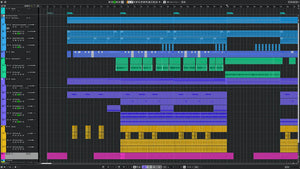
Combine MIDI composition, audio recording and editing, scoring, mixing, and mastering tools in a unified workflow. The audio engine delivers 64-bit floating-point processing at sample rates up to 192 kHz. ASIO-Guard, multi-core processing, and plug-in delay compensation support demanding productions, while extended ASIO-Guard in version 16 provides more processing headroom for large track counts and CPU-intensive plug-ins.
Creative MIDI tools for musical ideas
Develop chords, harmonies, and melodies with Chord Pads, Chord Track, and Scale Assistant. Chord suggestions and real-time performance features help you explore progressions, while scale-based playing and quantization keep ideas harmonically consistent. Key and Drum Editors, controller editing, detailed quantization, and customizable MIDI Remote mapping provide precise control over notes, rhythms, and connected hardware.
New Key Editor Strum adds natural timing and feel to programmed chords, while Key Editor Stretch reshapes melodies, basslines, and chord progressions to the length you need. Key Editor Lyrics lets you add and edit lyrics alongside MIDI notes with fast step entry and pronunciation controls. Rename Controller replaces generic MIDI controller message names with labels that match your instruments and hardware. Expanded MIDI 2.0 expression support enables more expressive performances and orchestral articulation, with updated Windows MIDI support built on the latest Windows 11 MIDI platform.
Build beats, samples, and layered instruments
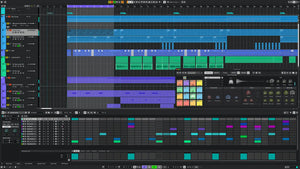
Program rhythms with Pattern Sequencer and explore evolving melodic ideas with Melodic Pattern Sequencer. Drum Track and Drum Machine combine drum sound design, synthesis, and sample-based workflows, including sample import from MediaBay. Sampler Track turns audio into playable sampler instruments with editing and modulation options. New pitch detection and phase inversion tools make sample tuning faster and drum layering tighter.
Instrument Stacks lets you layer multiple instruments inside one playable stack, with per-layer filtering and unified control. Add weight, punch, and clarity to percussion with the new DrumChain processor, or use Ableton Link to synchronize with other compatible music apps.
Shape vocals and capture your best performances
Refine pitch, timing, and intonation with VariAudio, and use VocalTouch for fast, intuitive vocal shaping. Comping tools let you assemble a performance from the best moments of multiple takes. Omnivocal Basic offers a lightweight way to develop vocal ideas, while redesigned Tempo Detection helps match tempos faster and more reliably. Event Volume Curves provide detailed audio-level editing, and ARA support integrates compatible third-party audio editing plug-ins such as SpectraLayers.
Instruments and sounds ready to inspire
Explore more than 3,000 sounds and 18 sample and loop packs, alongside included virtual instruments and effects. HALion Sonic with Sonic Selection provides a versatile sound workstation, Groove Agent SE offers drum sounds and patterns, Retrologue delivers classic analog-style and modern synth tones, and Padshop creates complex, evolving granular soundscapes.
Compose with the orchestral sounds of Iconica Sketch, add warm felt-piano tones with Verve, and discover songwriting-focused sounds in Writing Room Synths. Cubase Artist 16 adds the Module FM Library with more than 200 new HALion Sonic presets for modern FM-based production, plus five new sample packs to spark fresh ideas.
Mix with precision and finish with confidence
MixConsole brings channel strips, effects, flexible routing, and automation together in a professional mixing environment. Monitor your audio with SuperVision's metering and analysis tools, build dynamic movement with FX Modulator, and create detailed echoes with MultiTap Delay. New technical and genre-based mastering FX presets help speed up finishing. Deep VST 3 integration supports compatible third-party instruments and effects.
A workflow that grows with your music
Create legible performance material with the Score Editor, based on Dorico technology. Redesigned settings consolidate searchable setup and customization in one non-modal window, while Quick Help offers context-aware guidance in the Left Zone or a floating window. Guided Tours make getting started easier, and improvements to insert handling, drag-and-drop, and the redesigned Audio Pool streamline everyday work. AAC and M4A import expands your audio file options.
Tech Specs
Mac: macOS Golden Gate 27, macOS Tahoe 26, or macOS Sequoia 15. Intel Core i5 processor (2018 or later) or Apple silicon.
Windows: 64-bit Windows 11 (version 25H2 or higher) or 64-bit Windows 10 (version 22H2 or higher). Intel Core i5 (8th Generation), AMD Ryzen Series-3000, or Windows on Arm processor.
CPU and memory: 4 or more CPU cores and 16 GB RAM minimum.
Storage: 89 GB free space for the full installation or 15 GB for the core installation.
Display: Minimum resolution of 1440 × 900 at 100% UI scaling. For 4K displays, 4 GB or more GPU memory is required.
Audio hardware: OS-compatible audio hardware. ASIO-compatible audio hardware is recommended for low-latency performance.
Internet: Required for activation, account setup, personal/product registration, and installation download.
VST 2 compatibility: VST 2 is not officially supported. VST 2 plug-ins may be loaded, excluding native Apple silicon, when the VST 2 plug-in scanner is enabled in the VST Plug-in Manager. Steinberg does not provide support for VST 2 issues.