Your Cart is Empty


View other products by Steinberg

Sound and Vision. Unified.
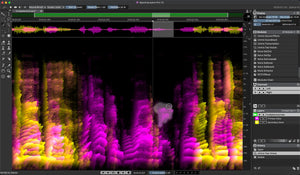
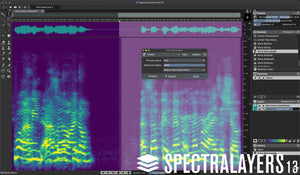
Steinberg SpectraLayers Pro 13 turns audio into a visual workspace where you can explore, select, extract, and transform sounds. Move beyond the waveform to work with audio as visual objects on a spectral graph, from rescuing a damaged recording to shaping entirely new musical textures. Detailed manual selection tools work alongside AI-driven extraction and repair processes, bringing precision and creative freedom to restoration, production, and sound design.
Highlights
Artificial Intelligence. Sensory Integration.
Seeing sound on a spectrograph is only the beginning. SpectraLayers lets you reach into that display and shape what you see, combining hands-on control with AI-assisted pattern recognition and processing. Identify the material you want to change, isolate it from its surroundings, and work toward cleaner recordings or more adventurous creative results.
A Foundation for AI-Enhanced Processing
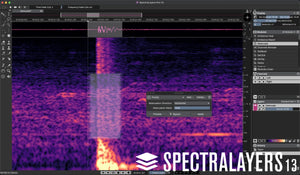
Move from broad brush editing to microscopic intervention with manual selection tools designed for detailed spectral work. AI-assisted processes add speed and precision to this foundation, expanding a layers-based workflow that keeps complex audio accessible and flexible. Choose a focused manual approach, let automated processes handle a task, or combine both as the recording demands.
From Pure Science to Free Improvisation
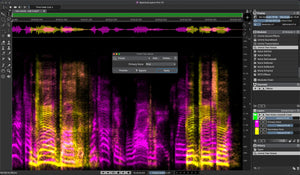
Split samples into layers and build freeform mixes from their individual elements. Automatically unmix tracks into stems, then work deeper within those stems to identify and isolate tone, transients, and noise. For experimental production and sound design, this opens a different way to compose: extract a detail, reshape its texture, and turn familiar material into something unexpected. SpectraLayers can be as much a creative instrument as an editing tool.
Repair and Restore
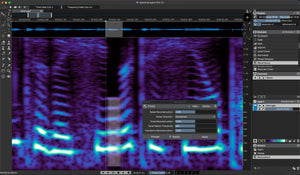
Find and erase errors and unwanted sounds, reduce noise, repair clipped audio, remove clicks, and control distracting transients. Manual editing and AI-assisted processes let you approach restoration with both speed and precision, whether you are salvaging a performance or making subtle improvements to an otherwise usable track.
The ARA Era
Modern production often moves between waveform editing and spectral processing. ARA 2 technology connects these workflows, allowing SpectraLayers to work inside compatible applications, including Cubase and Nuendo. Carry out comprehensive, non-destructive visual edits in the context of the DAW timeline, keeping detailed spectral work connected to the wider session.
Audio Refabrication
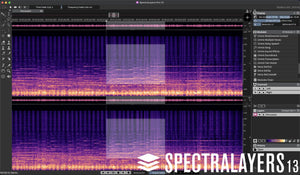
Make highly detailed selections on the spectral display and extract them to independent layers for further processing. Work within SpectraLayers or move that material into your wider DAW workflow, then mix and render the result or preserve your edits on the timeline. ARA 2 support brings SpectraLayers directly into the Cubase/Nuendo waveform display window for close integration between the two environments.
Your Personal Pathway
SpectraLayers Pro pairs comprehensive spectral editing tools with advanced AI-assisted processing. Use it as a standalone environment for restoration, extraction, and sound design, or as an extension of a compatible DAW. From corrective work to freeform music creation, the combination of visual selection, independent layers, and DAW integration gives you room to develop your own approach to sound.
System Requirements
Windows
macOS
Memory and Storage
Registration and Activation