Your Cart is Empty



View other products by Antares

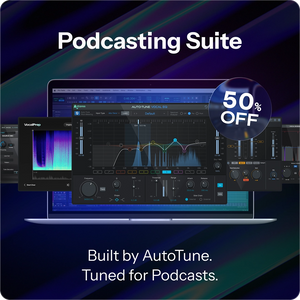
Brought to you by the vocal experts behind AutoTune, our Podcasting Suite brings professional voice processing to your podcasts and streams. Say goodbye to volume fluctuations, and instantly sound clearer without needing to be an audio engineer. Our tools analyze your voice in one click to dial-in the perfect fixes, so you can focus on creating, not tweaking.
Bundle includes 5 pro vocal tools: Vocal Prep, Mic Mod, Vocal EQ, Vocal Compressor, and Vocal De-Esser.
Why Podcasters Love Our Plugins
Complete Vocal Podcasting Tools
Pro Results
Fast and Easy
Consistent Quality
Focus on Content
Grow Your Audience
Works seamlessly in video and audio editing software
All included plugins are compatible with every major audio editing platform and video tools like Adobe Premiere, Final Cut Pro, and DaVinci Resolve, or any other program that accepts third-party plugins, so you can create your next podcast anytime, anywhere.
The Order for Pro Quality Podcast Sound
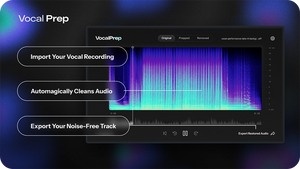
Vocal Prep
Remove background noise from vocals with 1-click
Get the sound of a professional vocal booth regardless of your recording environment. The standalone Vocal Prep app removes buzzing, computer fans, air conditioning, your neighbor's dog, and other unwanted distractions that compromise your recordings.
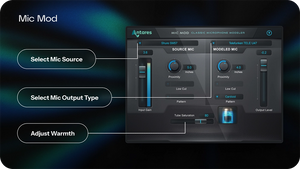
Mic Mod
Improve the tone of your microphones
Instantly expand your mic collection with over 100 different models of vintage mics from Neumann, Telefunken, AKG, and others plus a wide selection of modern boutique mics.
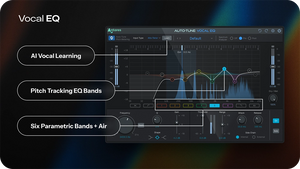
Vocal EQ
Enhance the clarity of your voice
Engineered specifically for vocals, Vocal EQ automatically enhances vocal clarity for studio-quality recordings, anywhere.
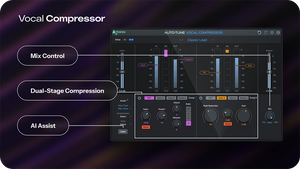
Vocal Compressor
Get smooth, consistent volume levels
Vocal Compressor is a fast and easy-to-use tool for modern production workflows, allowing anyone to quickly achieve a polished, professional podcast sound.
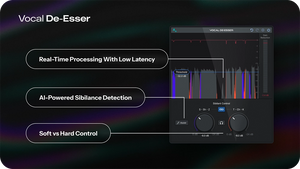
Vocal De-Esser
Remove harsh tones and mouth sounds
Use Vocal De-Esser to clean up spoken dialog for film, podcasts, interviews, and more. Since the AI-Powered detection operates in real-time, you can even apply it in a live setting.
Tech Specs
macOS 13 Ventura and higher
Audio Requirements
DAWs
Windows 10 and 11
Audio Requirements
DAWs