Your Cart is Empty



View other products by NoiseWorks

The Fastest Way to Edit Vocals & Dialogue
Vocal editing has never been so easy!
In just a few seconds, DynAssist AI analyzes the voice using ARA and writes a volume automation based on the settings made. The automation handles multiple tasks.
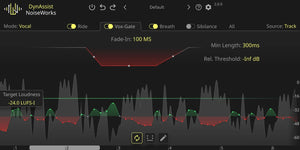
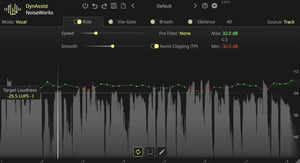
Gain Riding with infinite Lookahead
DynAssist adjusts the loudness to the Target Loudness in LUFS-I. Thanks to the ‘infinite lookahead’ enabled by ARA*, pumping artifacts are prevented. This was a common problem with previous vocal riders.
Additionally, DynAssist ensures minimal CPU load with 0.0 ms latency, ensuring that your workflow is not disrupted by playback delays at any time.
AI-powered Vox-Gate
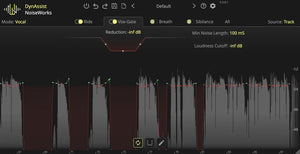
The AI-powered Vox-Gate works based on voice activity to remove pauses and silence, eliminating the need to set an additional threshold. This method also prevents the accidental cutting off of the first or last syllable, a common issue with existing gates, due to incorrect gate opening or closing.
To prevent voice bleeding, use the Loudness Cutoff, which functions like a threshold but is specific to voice.
Highly precise breath detection
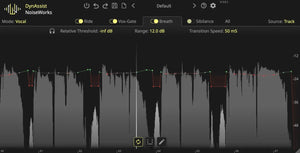
The AI-powered breath detection is more precise than any other solution on the market. It ensures that every clip has well-leveled breaths, eliminating the need for manual editing.
In the interface waveform, breaths are highlighted in a darker grey, making it easier for you to overview the clip without having to listen to the entire file.
Sibilance detection
The Sibilance feature works as you would expect. It detects and levels sibilance that exceeds the threshold you set.
In DynAssist’s waveform, sibilance is highlighted in a lighter grey. The overlapping automation provides detailed information about what happens to each sibilance.
Mac
intel & M1/M2/M3 native support
(min OS 12.0)
Windows
64 bit
Windows 10 (min v 1909)
minimum Intel Core i5/i7 4th Gen “Hashwell” from June 2013 or higher.
General
Formats: VST3, AU, AAX
Supporting all major DAWs : Pro Tools 2024.10+, Logic Pro, Ableton Live, Cubase, FL – Studio, Reaper, Studio-One, Reason